Crypto Exchange Admin Panel
Manage the operational side of your exchange from a centralized backend.HashCash's crypto exchange admin panel brings user management, transaction monitoring, KYC workflows, wallet activity, fees, reports and platform controls into a structured operator environment.
What Is a Crypto Exchange Admin Panel?
A crypto exchange admin panel is the backend environment used by an exchange operator to manage users, review transactions, handle verification workflows, oversee deposits and withdrawals, manage fees, generate reports and configure platform settings. It is separate from the customer-facing trading interface: Traders use the exchange to trade and manage their accounts, while operators use the admin panel to manage the activity behind that experience.
HashCash's exchange architecture places the admin console alongside customer management, KYC/verification, wallet management, trading infrastructure, liquidity, reporting and API capabilities. The admin panel therefore acts as an operational control layer rather than a replacement for those underlying systems.
Admin Dashboard
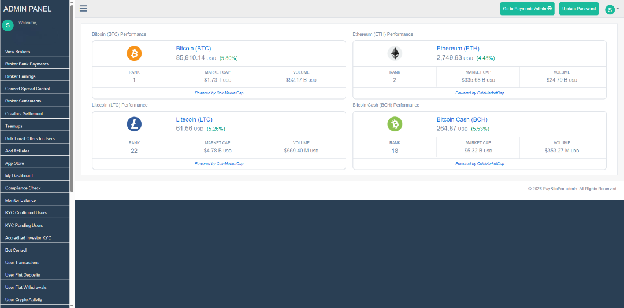
The dashboard gives operators a high-level view before they move into individual operational modules. The admin environment shows buy and sell trends across listed assets over selectable periods including one week, one month and three months. This overview can lead operators into specific users, transactions or reports when further investigation is required.
- Trading activity trends
- Buy and sell activity
- User activity indicators
- Transaction and pending-activity status
- Asset/balance information where supported
- Shortcuts to operational modules
User Management & Verification
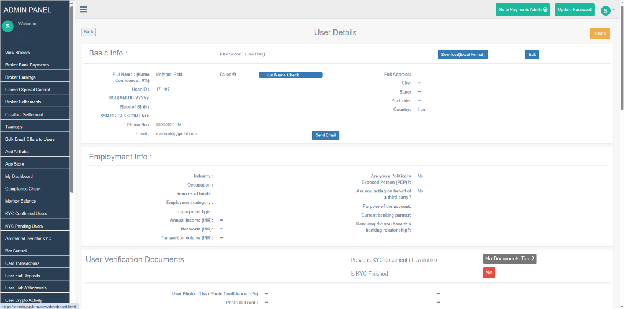
User management is a core back-office function. The documented admin environment provides confirmed and unconfirmed user views with fields such as user ID, name, account creation date, document status, bank-document status and buy/sell status. Operators can search users and open individual records.
The user-detail workflow includes basic profile information, submitted identity-verification documents, bank details and transaction information. Where configured, administrators can approve or decline documents and apply buy or sell restrictions to an account.
- Confirmed and unconfirmed users
- User search
- Identity-document status
- Bank-document status
- User profile and account information
- Document approval/decline
- Buy/sell restrictions
- User transaction history
Trading, Transactions & Payment Operations
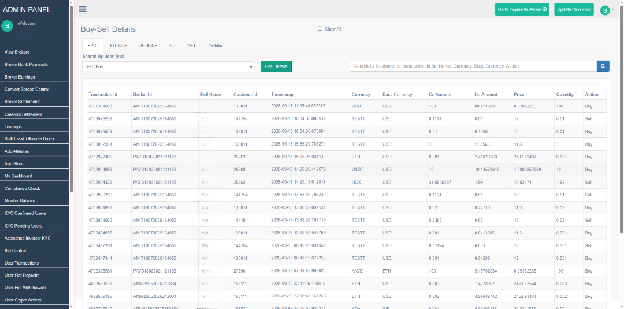
The admin panel provides operational visibility into exchange activity. The documented screens include buy/sell activity, send/receive transactions, fiat deposit requests and fiat withdrawal requests. Transaction records can expose transaction ID, user information, timestamp, description, transaction reference and status.
- Buy & Sell Activity — Review exchange trading activity.
- Send & Receive — Review asset movement and transaction status.
- Fiat Deposits — Review incoming payment-order requests.
- Fiat Withdrawals — Review withdrawal requests and statuses such as pending, paid or declined.
- Pending Transactions — Track activity awaiting authorization or processing where supported.
Fees, Earnings & Commission Management
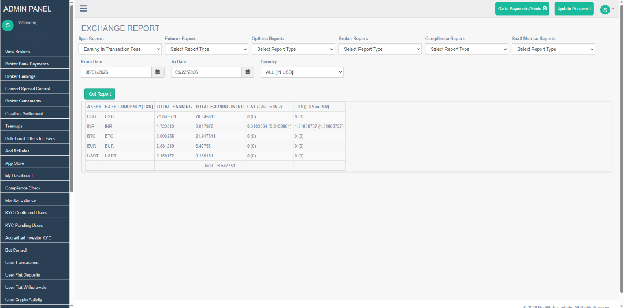
The documented administration environment includes earnings and commission views covering trading volume, applicable fees, commission calculations and settlement information. A separate commission-percentage screen presents commission information associated with trading volume.
- Trading-volume information
- Fee and commission information
- Commission percentage views
- Broker/partner earnings where applicable
- Settlement information where supported
Reports & Exchange Analytics
A back office becomes substantially more useful when operational data can be reviewed through structured reports. The admin environment documents exchange reports covering transaction-fee earnings, buy/sell summaries, user balances by crypto asset, open orders, fiat deposits and withdrawals, user registration and active-user information.
User reports also cover spot activity such as all transactions, trade history, portfolio summaries, wallet transaction summaries and gain/loss statements. Futures reporting includes transaction details, gain/loss, open positions, margin settlement and positional trade reports.
| Report family | Examples |
|---|---|
| Exchange Reports | Transaction-fee earnings; buy/sell summary; user balances; open orders; fiat activity; registration and active users. |
| Spot Reports | Transactions; trade history; portfolio summary; wallet transaction summary; gain/loss. |
| Futures Reports | Transactions; gain/loss; open positions; margin settlement; positional trades. |
Wallet, Asset & Liquidity Operations
The admin environment connects with the infrastructure responsible for asset movement and market operations. HashCash’s functions include balance monitoring, withdrawal requests, pending transactions, cold-wallet balance information, liquidity management and exchange asset/coin reporting.
Roles, Access & Administrative Security
An exchange back office contains sensitive user, transaction, wallet and configuration information, so administrative access should be separated according to the operator's organizational structure and security requirements. HashCash gives multiple access-control levels for administration and support functions.
Admin Panel & the Wider Exchange Architecture
The admin panel is the operator-facing control layer, not the underlying execution or custody system. It connects operators to those systems so supported activity can be monitored and administered.
| Component | Relationship |
|---|---|
| Matching Engine | Processes and matches orders; the admin panel provides operational visibility/control where supported. |
| Market Data | Supplies market information; the admin panel provides applicable configuration/operational access. |
| Liquidity | Provides market-depth/source infrastructure; the admin panel can expose supported liquidity controls. |
| Wallet Infrastructure | Handles asset storage and movement; the admin panel provides operational oversight. |
| KYC & AML | Handles verification/compliance workflows; administrators review supported verification information. |
| Exchange API | Provides programmatic connectivity; API-related controls can be administered where supported. |
| Reporting & Analytics | Provides deeper reporting; the admin panel is the operational entry point. |
| Security | Protects administrative access and underlying infrastructure. |
White Label Crypto Exchange Operations
For a white label crypto exchange, the admin panel is where the operator moves from having a branded trading interface to actually running the exchange behind it. Branding is only one part of the platform; operators also need backend access to users, transactions, verification, assets, fees, reports and exchange settings.
HashCash's exchange software positions the admin console alongside matching, wallet management, KYC/verification, liquidity and API capabilities. The admin panel therefore serves as the operational layer connecting those systems for the business running the exchange.
Admin Panel Architecture Diagram
Operator
Admin Login / Access Control
Admin Dashboard
Operational Modules
User Management • KYC & Verification • Transactions • Wallet / Asset Operations • Fees • Reports • Settings