White Label Spot Trading Exchange
Launch a branded spot trading platform with the market tools traders need to analyze prices, place orders and manage spot positions.HashCash can configure a branded spot trading environment around your trading pairs, order types, liquidity, exchange controls and user experience, using a market interface built around charts, order books, open orders, trade history and spot account activity.
A Complete Spot Trading Environment, Not Just an Order Form
Spot trading is where users directly buy and sell supported digital assets through configured trading pairs. A commercial spot exchange therefore needs more than a buy and sell button. Traders need a market view, price information, order-book visibility, order controls, open-order management, trade history and account balances working together in one interface.
HashCash’s spot interface brings these elements together so users can move from market analysis to order placement and then monitor or review the result from the same trading environment.
The Spot Trading Terminal
HashCash’s spot trading infrastructure brings the essential tools for digital-asset trading together in a single, branded terminal. Traders can analyse market movements, review order-book depth, place supported orders, monitor active positions, and track completed trades without moving between separate interfaces. The result is a structured trading environment designed to support the complete spot trading workflow - from market analysis and order placement to execution monitoring and trade review.
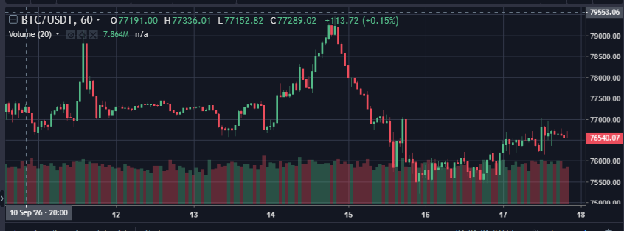
Market Charts
Give traders a visual view of price activity across selectable time intervals.
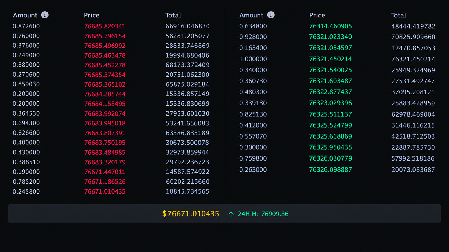
Order Book
Display available sell offers and buy offers around the selected market.
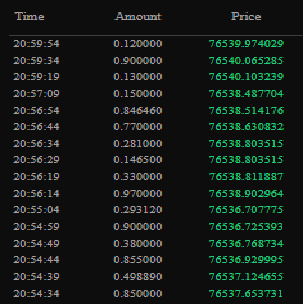
Recent Trades
Show recent executed trade information for the selected market.
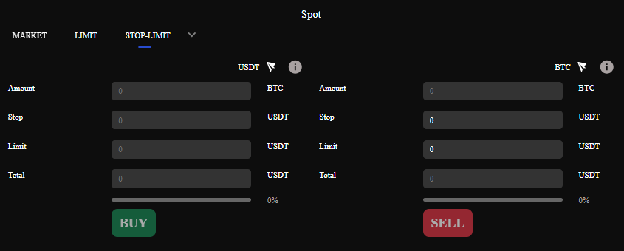
Stop Orders
Let traders monitor conditional orders separately from general open orders.
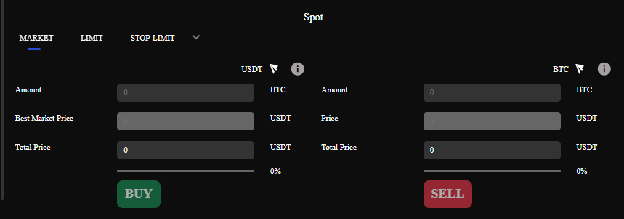
Order Entry
Place trading controls beside the market view so users can select an order type, enter parameters and submit the trade.
Trading Pairs and Market Configuration
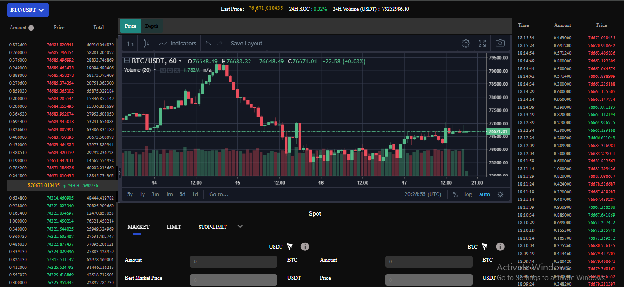
A spot exchange is organized around trading pairs: A base asset being bought or sold against a quote asset. The platform can present available markets through the trading interface so users can select the pair they want to analyze and trade.
The selected pair determines the assets being traded and the market information displayed throughout the terminal. The interface should make market selection easy to understand and keep the selected pair visible while traders review charts, order-book activity and order-entry controls.
Flexible Spot Order Types
The documented PayBito spot interface supports Market, Limit and Stop-Limit orders, with IOC, FOK and OCO options available from the order-type controls.
| Order type | How it works |
|---|---|
| Market | The user enters an amount and the price is determined from available sell-side market offers. |
| Limit | The user specifies the amount and price for a buy or sell offer. |
| Stop-Limit | The user defines a stop price and limit price to control when a limit order is submitted. |
| IOC | Immediate-or-cancel order validity. |
| FOK | Fill-or-kill order validity. |
| OCO | One limit plus one stop-limit order combination as documented. |
Liquidity and Execution Context
A spot market needs available liquidity for buy and sell orders to interact. On the user side, that liquidity is visible through the order book and recent trades. On the exchange side, liquidity connectivity and matching infrastructure determine how configured markets are supported. HashCash's exchange architecture separately covers matching-engine and liquidity infrastructure.
Open Orders, Trade History and Spot Reports
Spot trading does not end when an order is submitted. Traders need visibility into what remains open, what has executed and how their account activity has changed.
Wallet and Balance Context for Spot Traders
Every spot trade depends on knowing which assets are available, how much is available to trade, and what activity has taken place in the account. HashCash’s spot trading environment connects the trading terminal with the user’s asset and wallet information, giving traders the balance context they need throughout the trading process.
Before placing an order, traders can review the available balance for the relevant asset. After trading, they can use their account and transaction information to track how those assets have changed. Supported deposit and withdrawal functions can also be accessed through the broader exchange account environment, keeping asset management connected to the trading experience.
Key Balance & Wallet Functions
API and Exchange Controls
HashCash’s spot trading environment can operate as part of a broader exchange infrastructure, with API access, permission controls, and authentication measures supporting connected applications and services. API key permissions help operators control access to exchange functions, while two-factor authentication adds an additional layer of account security.
How a Spot Trade Works
Select a trading pair
Choose the market available on the platform.
Review the market
Use the chart, order book and recent trades to understand current market activity.
Choose an order type
Select Market, Limit or Stop-Limit and apply available execution controls such as IOC, FOK or OCO.
Enter trade parameters
Specify amount and, where applicable, price or stop/limit values.
Submit the order
The exchange processes the order through its configured trading infrastructure.
Track the result
Monitor open orders, completed trades, balances and transaction history.
Review reports
Use spot reporting to review account activity and portfolio/transaction information.